How Many Audio Guide Devices a Museum Needs: Size It From Ticket Data
Sizing an audio guide fleet is an arithmetic problem, not a judgement call, and the inputs already sit in your ticketing system. Admission timestamps, dwell time and group composition tell you how many visitors are inside the building at any minute. What most venues lack is a method for turning those numbers into a purchase order. This article sets out a sizing method you can run on your own attendance data, so the quantity you send to a supplier is defensible to finance and to operations.
Start with concurrent visitors, not daily totals
Daily attendance is the wrong unit of measure. A venue that admits 4,000 people between 09:00 and 17:00 does not need 4,000 devices; it needs enough devices for the busiest hour, adjusted for how long each visitor holds one. Pull admission timestamps for your ten busiest days, bucket them into 15-minute intervals, and add your median dwell time to each arrival to estimate how many visitors are inside at once. The peak of that curve is your concurrency figure. Everything downstream is derived from it.
Turn concurrency into device demand
Not every concurrent visitor takes a device, and some take more than one. Take-up rate is a policy decision you can measure: run a week of manual counts at the desk, or read it from your rental system if you already operate one. Group visits complicate the picture, because a school group of thirty may draw thirty devices in a five-minute window. Multiply concurrent visitors by take-up rate, then add a group surge allowance based on your largest typical booking. That gives peak device demand before turnover.
| Sizing input | Where it comes from | Why it matters |
|---|---|---|
| Peak concurrency | Admission timestamps plus dwell time, 15-minute buckets | Sets the ceiling for the whole calculation |
| Take-up rate | Manual desk counts or rental system logs | Converts visitors into device demand |
| Group surge | Largest typical booking and its arrival pattern | Prevents under-sizing for school and tour groups |
| Turnover cycle | Return, wipe-down, sanitiser dry time, recharge | Determines how many times one device serves per day |
| Service float | Fault rate, charging rotation, spare pool policy | Keeps the desk from running dry mid-afternoon |
| Language mix | Ticket channel and postcode or country of origin | Drives how many units per language you stock |
Model turnover honestly
Turnover is where optimistic plans break. A device returned at 11:40 is not available at 11:41; it needs collection, a hygiene wipe, time for the sanitiser to dry, a functional check and a return to the rack. If that cycle takes twenty minutes and your peak window is three hours long, one device serves a limited number of visitors in that window. Measure the cycle with a stopwatch on a busy morning rather than assuming it. Hygiene practice varies by venue and by local expectation, so treat the wipe-and-dry step as a fixed cost in your model, not an optional one.
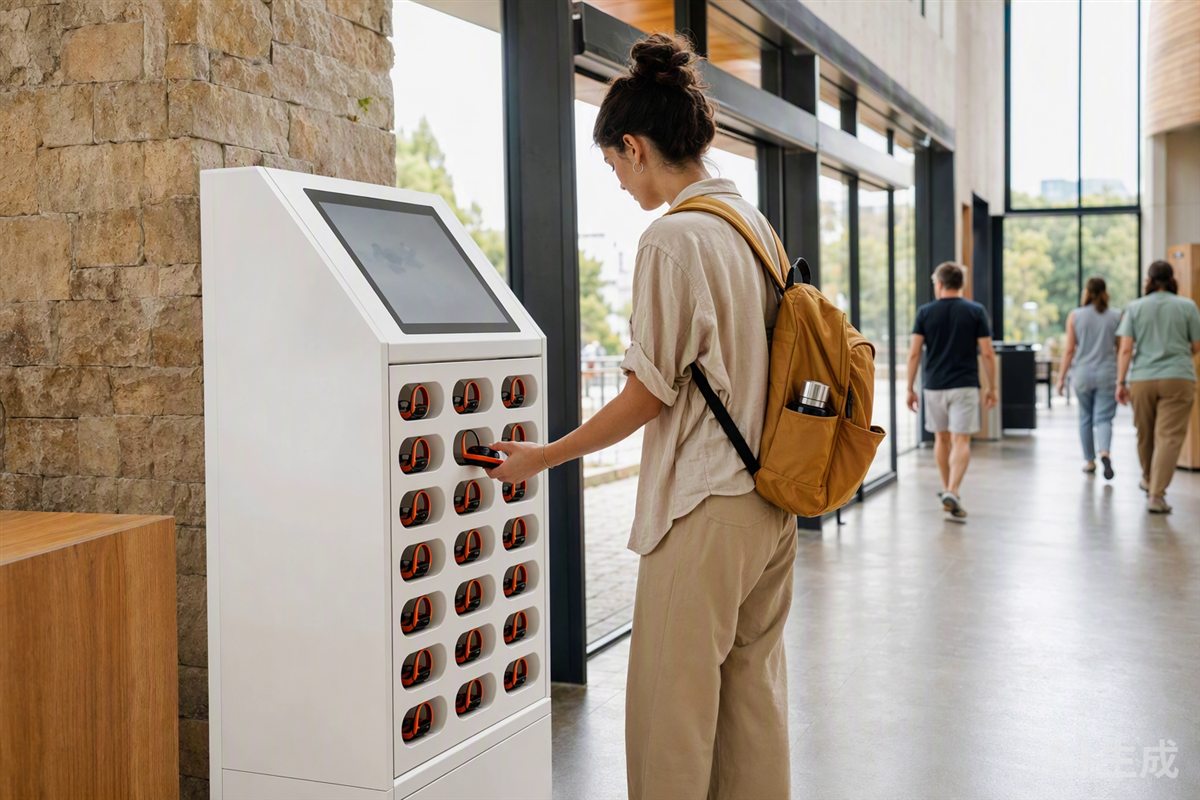
Charging is the second constraint. Devices that return at low battery need rack time before the next issue, and a rental cabinet with per-slot charging makes that rotation visible. If your model shows devices cycling faster than they can recharge, the answer is more units or a larger cabinet, not a shorter cycle. The rental cabinet exists precisely to make this rotation manageable at the desk.
Choose the hardware that fits the arithmetic
Once you know peak demand and turnover, the device format follows. Handheld units suit venues where visitors want a screen and a keypad; an open-ear receiver suits walking tours and outdoor sites where hygiene and comfort dominate. Most venues run a mixed fleet, and the AI Audio Guides line covers both formats so the language mix and the quantity split can be ordered together.
Language count is a separate decision from total quantity. If your peak concurrency is 300 and you support six languages, you do not need 300 units per language; you need a distribution that reflects actual take-up per language, plus a small float for the two or three languages that spike without warning. Review that distribution once a season against ticket-channel data.
- Pull ten peak days of admission timestamps and bucket them into 15-minute intervals.
- Add median dwell time to each arrival to estimate concurrency, then find the peak.
- Apply measured take-up rate and add a group surge allowance.
- Time the full turnover cycle with a stopwatch, including wipe-down and dry time.
- Add a service float for faults and charging rotation, then convert to units per language.
What to settle before you request a quotation
Bring your concurrency figure, turnover cycle and language split to the supplier conversation. Those three numbers determine whether a stock guide player covers your need or whether you are specifying firmware and packaging. The published MOQ, sampling and lead times page sets out the thresholds: 500 units standard, 500 for logo, 1,000 for custom packaging and 2,000 for firmware or app white-label. Samples run 3-5 days for stock and 7-15 days configured, with sample cost credited against mass production. Production is 25-35 days.
Compliance documents are issued per model and hardware revision, so ask for the file set that matches the exact build you are ordering. The CE RED document checklist shows the shape of that file set, including EN 300 328, EN 301 489 and EN 62368-1, alongside RoHS 3, REACH SVHC screening and battery UN38.3 with SDS. If your venue is in the EU or UK, remember that WEEE, BattG, DEEE/Triman and EORI/VAT duties sit with you as the importer, not with the factory. Where an age grading on the packaging brings a product into toy scope, EN 71 and EN 62115 testing is booked with an accredited laboratory per build.
Build the sizing model first, then send the resulting quantity, language split and turnover assumption to your supplier alongside your target opening date. A quotation built on your own attendance data is one you can defend internally, and it gives the factory a clear brief for sampling. Start with the ten peak days you already have on file; the rest of the calculation takes an afternoon.
Questions buyers ask
How do I calculate audio guide fleet size without guessing?
Work from your own admission timestamps, average visit duration and the number of devices one visitor uses per visit. Divide the peak hour's concurrent visitors by your realistic turnover rate, then add a service float for charging, cleaning and faults.
Should I size for the average day or the peak day?
Size for the peak day your venue actually records, not an imagined worst case. A fleet that covers the busiest real day with a modest float will sit idle on ordinary days, which is a cost you can quantify before you commit.
Related: more on ai audio guides · buyer guides · customisation tiers