Smartwatch Retail Display: What to Order With the Devices
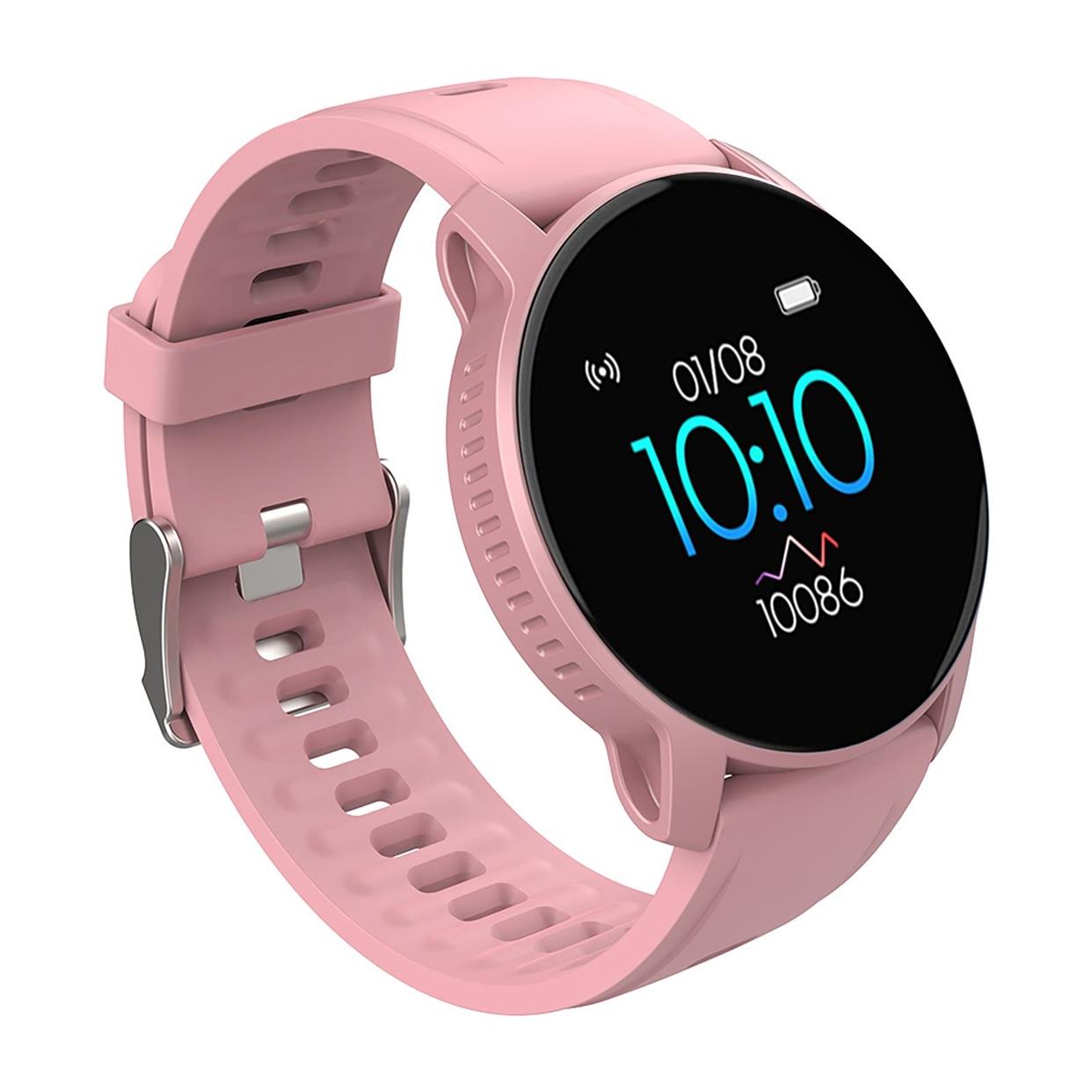
A wearable that never leaves the shelf does not sell. Buyers who order a few hundred units for a chain of stores usually discover that the display hardware, the demo software and the in-store charging are three separate purchases, often from three suppliers. The devices arrive first, the stands arrive late, and the shop staff improvise with a cable and a shelf edge. Planning all three together is the difference between a working demo table and a locked cabinet nobody opens.
Separate the device order from the display order
The device side follows the standard commercial path: 500 units minimum, logo at 500, custom packaging at 1,000, firmware or app white-label at 2,000. AI glasses sit at 300 units, and ring, education and companion models at 1,000. Samples run 3-5 days from stock or 7-15 days configured, and the sample cost is credited against mass production. Those terms are set out in the MOQ, sampling and lead times reference and should be read before you commit to a display concept, because a demo programme multiplies your unit count by the number of stores.
The display side is a different supply chain. Anti-theft stands, alarm cables, sensor pucks and counter charging docks are mechanical and electrical accessories, not consumer electronics, and they are rarely made by the same factory as the watch. Decide early who owns that purchase. If you ask a wearable supplier to quote a complete display solution, expect either a brokered price with no engineering accountability or a polite refusal.
Demo mode is a firmware decision, not a shop-floor setting
A retail demo unit runs different firmware from a sold unit. It boots into a looping attract sequence, ignores pairing, disables the sleep timeout, keeps the screen bright, and resets itself after a set period. That behaviour has to be built into the firmware revision and tested like any other release. It also has to be reversible, because a demo unit that cannot be converted into a sellable unit is dead stock at the end of the season.
Ask three questions before you order. Does the demo firmware ship on a separate SKU so your warehouse cannot mix it with retail stock? Does the demo unit carry the same certification scope as the retail unit, or does the modified firmware invalidate the test report? And can the demo build be reverted with a documented procedure your staff can follow? Certification is booked per hardware revision with an accredited laboratory, so a firmware change that alters radio behaviour is a new test scope, not a paperwork amendment.
Anti-theft hardware: what actually matters
Alarm stands fail in predictable ways. The cable fatigues at the connector, the adhesive puck lifts in a warm shop, or the alarm is so sensitive that staff disable it. Specify the mechanical details, not the marketing description.
| Item | What to specify | Why it matters |
|---|---|---|
| Alarm cable | Strain relief at both ends, replaceable cable, not moulded | Moulded cables turn a five-minute fix into a stand replacement |
| Mounting | Mechanical clamp or screw plate rather than adhesive only | Adhesive fails on textured or warm surfaces |
| Charging | Continuous power to the puck, with the device charging while displayed | A dead demo unit reads as a broken product |
| Demo firmware | Separate SKU, documented revert procedure, certification scope confirmed | Prevents retail stock being sold in demo mode |
| Skin contact | EN 1811 nickel release statement for the demo unit as worn | Demo units are handled and worn far more than sold units |
| Battery documents | UN38.3 test summary and SDS per battery revision | Required for the shipment, and for any spare demo units |
In-store charging and the accessory basket
A demo table needs power at every position, and shoppers who try a watch usually ask about charging at home. That makes the accessory line part of the same conversation. Power banks and portable chargers are quoted from the current model list, and no capacity, wattage or cycle figure is published before a datasheet exists for the revision being quoted; every battery order carries the UN38.3 test summary and SDS with the watt-hour rating printed on each unit. See the power banks and chargers range for what is currently quotable.
The same logic applies across the range. A shopper trying a health smartwatch on a stand is a different shopper from one trying a GPS sport watch, and the demo script should differ: wellness metrics are guidance, never diagnosis, and staff should not present them otherwise. A smart health ring needs a sizing set on the counter, because a ring that does not fit cannot be demonstrated at all. Translation earbuds need a quiet corner and a clear statement that output is a reference translation, not a certified one.
Before you place the device order, work through this list with your supplier and your display vendor together:
- Confirm the demo firmware SKU, the revert procedure and the certification scope for that revision.
- Confirm which party supplies the stand, the alarm, the charging puck and the counter power.
- Confirm the accessory basket you will stock alongside: chargers, sizing sets, spare cables.
- Confirm the documents that ship with the order for the exact hardware revision, including battery UN38.3 and SDS.
- Confirm who holds WEEE, BattG and DEEE/Triman registration in your market, since importer duties sit with the importer.
Where to say no
Say no to a supplier who offers a demo unit without a separate SKU, because your warehouse will eventually ship one to a customer. Say no to a display vendor who cannot tell you the cable replacement procedure. Say no to anyone who quotes a battery figure before a datasheet exists for the revision in question, and say no to a demo programme that assumes Google Play or GMS is licensed by default, because it is not.
If you are building a retail programme across several markets, start by mapping the display requirement against the AI wearables line and the wider product catalogue, then send your store count and demo firmware requirements for a written quotation. The factory page explains how builds and QC gates are run, which is the information your display vendor will ask for. A short call with both suppliers on the line is usually faster than three rounds of email.
Questions buyers ask
Can WingPhoenix supply demo units for retail display?
Yes. Demo firmware is part of the software scope and is quoted per hardware revision, with the same sample and MOQ process as standard units. The display hardware itself is usually sourced separately, so confirm which party owns the stand, the alarm and the charging.
What is the minimum order for retail display accessories?
Display stands and anti-theft units are not part of the standard MOQ list and are quoted per project. Device MOQ starts at 500 units, with logo at 500, custom packaging at 1,000 and firmware or app white-label at 2,000.
Related: more on ai accessories · buyer guides · customisation tiers